
You are filling out a visa application, or a bank's identity-verification form, or the onboarding page for a new job. The form asks for a scan of your ID, or a passport photo, or a recent utility bill. You take a photo with your phone, or run the page through a scanner, and hit upload. The form bounces it straight back: "File too large. Maximum 200 KB." So you do what almost everyone does — you open a random image compressor in a new tab, drag your passport scan into it, and download the smaller version. Then you upload that.
Here is the step almost nobody pauses on: you just handed a copy of your passport to a website you have never heard of, so it could make the file 200 KB smaller. For a cat photo that would be a non-event. For an identity document, it is a different story, and it is the story this post is about.
Why a document is not just another photo
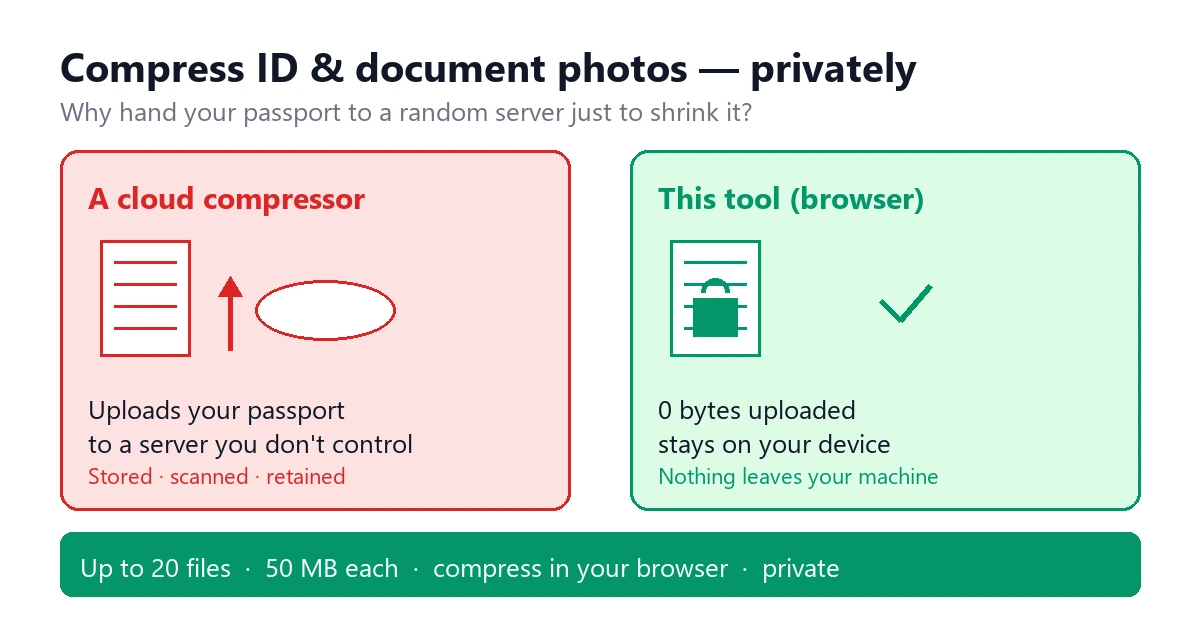
A passport scan, a driver's license, a national ID, a signed contract — these are not casual images. They carry your legal identity, and in most jurisdictions they are squarely "personal data." Under the family of laws that includes GDPR, the Brazilian LGPD, and Japan's APPI, sending personal data to a processor you have not vetted is not a theoretical slip; it is a compliance gap with a name. The upload-based compressors that rank highly in search are, by definition, servers you are sending the bytes to. Some state plainly that uploads may be used to improve their models. Even the careful ones keep a copy on infrastructure you do not control, however briefly, and that copy enters their backup chain and their breach surface.
None of this means those tools are evil. It means the upload path has a cost that the "free and fast" pitch leaves out — and for an identity document, that cost is the part you most want to avoid. The fix is not to skip compressing. It is to compress where the file never leaves your machine.
What these upload forms actually want
The size limits feel arbitrary because, on the backend, they mostly are: old systems, cheap storage, and a desire not to ingest multi-megabyte blobs. But they are real, and you have to meet them. Across government portals, bank KYC flows, and job-onboarding pages, the pattern is consistent:
- A hard byte cap. Common ceilings are 100 KB, 200 KB, or 1 MB per file. Some are strict and reject 201 KB without mercy.
- A format whitelist. Most accept JPEG or PNG. A few demand one specifically (a passport photo as JPEG, a signed form as PNG).
- A dimension range. Passport and visa photos often specify something like 350×450 px; a document page might be expected near A4-at-150-dpi proportions.
The trap is that a modern phone shoots a 12-megapixel photo that lands at 2–5 MB. A flatbed scan of a page, saved as PNG, is often 500 KB to several MB. Both are wildly over the cap, and both contain exactly the identity data you do not want floating around a random server.
The private way to hit the limit
Browser-native compression does the same shrink a cloud tool does, but the file is read by your own browser, held in memory on your device, and handed to a Web Worker that runs the compression math — the same MozJPEG and PNG8 engines a server would use — entirely on your CPU. The result is a file your browser saves back to you. At no point does the image open a network connection to anywhere. There is no upload step, because there is nothing on the other end that needs the pixels.
This is the same engine and the same privacy model described in the local compression guide: no account, no API key, no round trip, and — usefully for documents — EXIF and location metadata are stripped by default, so your GPS coordinates do not ride along with the scan.
Real numbers from the site's own engines
To show this is not hand-waving, I built two test images that mimic the documents people actually struggle with, and ran them through the exact engines this site uses. Nothing was uploaded to produce these figures — the compression ran locally.
| Test image | Original | Compressed | Savings |
|---|---|---|---|
| Phone photo of an ID card (JPEG) | 467.0 KB | 247.1 KB (MozJPEG) | −47.1% |
| Scanned document page with a photo (PNG) | 622.5 KB | 98.7 KB (PNG8, 256 colors) | −84.1% |
The ID photo is the everyday case: a phone shot that is far bigger than any form slot needs, cut nearly in half while the face stays clearly recognizable. The scanned page is the dramatic one — a document that is mostly white space with text and one photo collapses by 84% because PNG8 drops it to a tight 256-color palette with no visible loss on the print. Your real documents will vary, but the order of magnitude holds: these portals are asking for a fraction of what your phone produces.
Pick the format like you mean it
Documents split into two camps, and the right format depends on which one you have:
- Photo-heavy IDs (passport photo, driver's license photo, a selfie for KYC). These are gradients and skin tones. Use JPEG and slide quality down until you clear the cap while the face is still obviously you. MozJPEG at the site's default already took our test ID from 467 KB to 247 KB; nudging quality further gets you well under most 200 KB limits.
- Text-heavy or sharp-line scans (a signed contract, a utility bill with fine print, a form with small boxes). JPEG smears tiny text. Use PNG8 to keep every character crisp. The screenshot compression guide explains why PNG8 preserves text where JPEG blurs it — the same logic applies to a tax form.
Most portals accept either, so let the content decide: gradients → JPEG, fine print → PNG8. If a portal demands a specific format, the tool lets you choose the output format rather than forcing a conversion you do not want.
How to hit an exact cap
"Under 200 KB" is easy. "Under 100 KB" or "under 20 KB" for a strict government form takes a little more intent:
- Downscale first. A 12-megapixel photo is absurd overkill for a 350×450 slot. Shrinking dimensions does more of the work than any quality slider and keeps the face sharp.
- Nudge quality, then re-check. Drop JPEG quality a notch, preview, confirm the document is still legible, repeat. The tool previews the result before you download, so you are not guessing.
- Know the floor. If a form demands something extreme like 20 KB, that is a different exercise — the 20 KB compression guide and the under-100 KB guide walk the exact workflow for those tight caps.
The workflow I use for documents
- Open the tool. No login. The page is static and the compression runs in a worker on your device.
- Drag in the document(s). Up to 20 files at once, each up to 50 MB — handy when a portal wants your ID front, ID back, and a proof of address together.
- Choose quality and output format. JPEG for photo IDs, PNG8 for text scans, matched to what the portal accepts.
- Compress. Runs in your browser. Nothing is uploaded; the file never leaves your machine.
- Preview, then download. Check that the text is readable or the face is clear, then save the smaller file.
- Close the tab. No copy remains on any server, because no copy was ever sent to one.
Two cautions specific to documents
- Don't crush the fine print. A tax form at quality 30 might clear the cap but turn the small text to mush a reviewer will reject. If text goes soft, raise quality or switch to PNG8 — legibility beats a smaller number.
- Match the portal's format before you convert. Converting a PNG the portal expects as PNG into a JPEG can get the file rejected for the wrong reason. Pick the output format the form asks for.
Related guides for adjacent cases
- Want the mechanics of how in-browser compression works, step by step? The how-it-works page explains the pipeline.
- Compressing transparent logos or stickers without wrecking soft edges? The transparent PNG guide covers the PNG8 halo trap.
- Shrinking product photographs for a store (JPEG quality, platform limits)? The product photo guide goes deeper.
- Need to keep screenshots sharp? The screenshot guide shows why PNG8 keeps text clean.
The bottom line
Next time a form rejects your ID scan for being too big, resist the reflex to paste your passport into a random cloud compressor. Shrink it in your own browser instead: you clear the portal's limit, you keep the file end to end on your device, and you never hand a copy of your identity to a server you cannot see. For a cat photo, convenience wins. For an identity document, privacy should win — and with local compression, you do not have to choose between them.
Your ID is the last file that should leave your machine just to get 200 KB smaller.