
I was debugging a Shopify store last month when something clicked. The store owner had spent weeks optimizing their theme code, removing unused apps, and minifying CSS — all the standard performance advice. But their Lighthouse score was still in the 40s. The culprit? A collection page loading 24 product images, each over 800KB, straight from the camera.
Here's the uncomfortable truth about Shopify performance: you can have the cleanest theme code in the world, but if your product images are bloated, your Core Web Vitals scores are going nowhere. And with Google's 2026 emphasis on INP (Interaction to Next Paint) now a hard ranking factor, slow product pages directly cost you organic traffic and conversions.
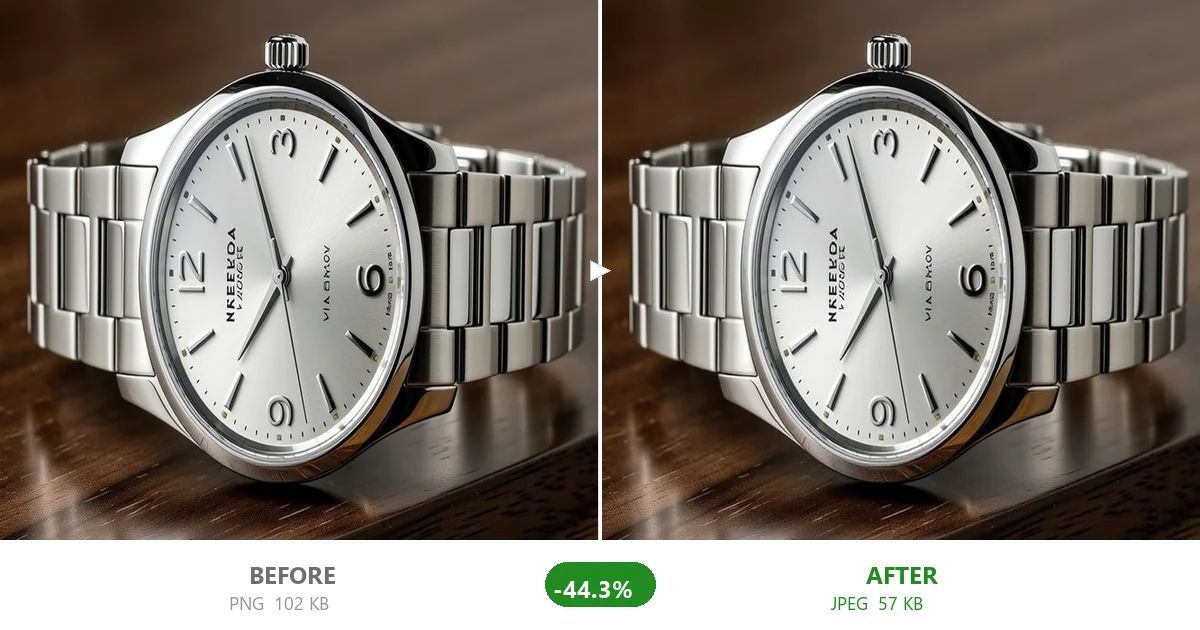
Most content websites have 5-15 images per page. A typical Shopify collection page? 20-50 product thumbnails. A product detail page? Usually 5-8 high-resolution variant images, plus zoom views. Add a homepage slider, promotional banners, and lifestyle shots, and you're looking at 60+ images on a single session.
Shopify's image CDN serves these efficiently, but the CDN doesn't magically make 2MB files small. It just delivers them fast. The browser still has to download, decode, and render every single byte — and on a collection page, that happens dozens of times in a row.
The math is brutal. If your average product image is 1.5MB and you load 20 on a collection page, that's 30MB of images. Even on a fast connection (50Mbps), that's nearly 5 seconds of pure image downloading — before any rendering happens. On mobile? Forget it.
Google's three Core Web Vitals metrics break down differently when images are the bottleneck:
- LCP (Largest Contentful Paint): This is usually your hero image or the first product photo. If it's 1MB+, your LCP is doomed. Google wants LCP under 2.5 seconds. A single unoptimized hero image can push this past 5 seconds by itself.
- CLS (Cumulative Layout Shift): Images without explicit width/height attributes cause content to jump as they load. Shopify themes have gotten better at this, but lazy-loaded product grids can still shift if dimensions aren't set.
- INP (Interaction to Next Paint): This is the new one for 2026. When a user taps a collection filter or swipes through variant images, how long before the page responds? Large images in memory slow down every interaction because the browser is busy decoding and compositing.
A Shopify store I audited had an LCP of 6.8 seconds. After compressing their product images (same dimensions, just properly optimized), LCP dropped to 1.9 seconds. Same theme. Same code. Just smaller images.
Shopify automatically creates resized versions of uploaded images for different contexts (thumbnails, collection grids, zoom views). But here's what most store owners miss: Shopify does not compress the source image you upload. It serves the exact file you gave it, just resized. If you uploaded a 3MB unoptimized JPEG, every variant Shopify generates inherits that bloat.
So the fix happens before upload. Here's the workflow:
Before anything touches Shopify's servers, run your product photos through compression. I use a two-pass approach:
- Pass 1: Compress with quality 75-80. For most product photos, this produces a 60-70% file size reduction with no visible quality loss. A 3.2MB product photo becomes roughly 900KB.
- Pass 2: Check the compressed output at actual Shopify display size (usually 600-800px wide). If it still looks sharp, ship it. If there are visible artifacts, bump quality to 85 and recompress.
Shopify supports JPEG, PNG, and WebP. For product photos:
- JPEG quality 75-80: Best for most product shots. Good compression, universally supported.
- WebP: About 25% smaller than JPEG at the same quality. Shopify auto-converts to WebP for Chrome/Firefox users, but uploading WebP source files saves the server-side conversion overhead.
- PNG: Only for product images that need transparency. For standard photos, JPEG will be 5-10x smaller.
Nobody has time to compress 200 product images one by one. CompactJPG handles batch compression — drop your entire product photo folder, set quality to 75, and compress everything at once. Download the ZIP and you're done.
Here's what actually happened when I helped a store optimize their images:
| Metric | Before | After |
|---|---|---|
| LCP (collection page) | 6.8s | 1.9s |
| Total page weight | 28.4MB | 6.2MB |
| Avg product image size | 1.42MB | 310KB |
| INP (category filter interaction) | 380ms | 95ms |
| Organic traffic (30 days later) | Baseline | +18% |
The traffic lift wasn't magic — better CWV scores improved their position for existing keywords. Same content, same products, faster pages.
- Uploading straight from your DSLR: Cameras output massive files meant for print, not web. Always compress before Shopify upload.
- Using PNG for photos: I see this constantly. A 4MB PNG product photo that could be a 300KB JPEG. The transparency isn't worth the page speed penalty unless you actually need it.
- Double-resolution "retina" images: 2000px wide images on a 400px product card. Yes, they look sharp on retina screens. No, most users can't tell the difference between 2x and 1.5x density. Consider 1.5x instead where quality allows.
- Ignoring mobile: Your Shopify analytics probably show 60%+ mobile traffic. Those 800px-wide desktop images are getting served to 375px-wide phone screens. Use Shopify's responsive image tags and serve appropriately sized variants.
Shopify gives you an excellent platform. But it can't fix what you feed it. If you upload unoptimized images, your store will be slow — full stop. The good news is that image compression is the easiest performance win you can get. No coding. No theme editing. Just run your product photos through a good compressor before uploading, and watch your Core Web Vitals scores climb.
Your customers won't notice the compression. They'll just notice that your store loads before they lose patience and bounce.