
A friend who runs a real estate agency showed me their listing analytics dashboard recently. Here's what jumped out: properties with listing pages that loaded in under 2 seconds got 34% more inquiries than those loading in 4+ seconds. And the #1 factor in slow loading? Uncompressed listing photos.
This shouldn't be surprising. A typical property listing has 20-40 photos, each shot with a professional camera at 24MP or higher. That's 60-120MB of images trying to load on a buyer's phone while they're scrolling through listings on their commute. By photo #8, they've already swiped to the next property.
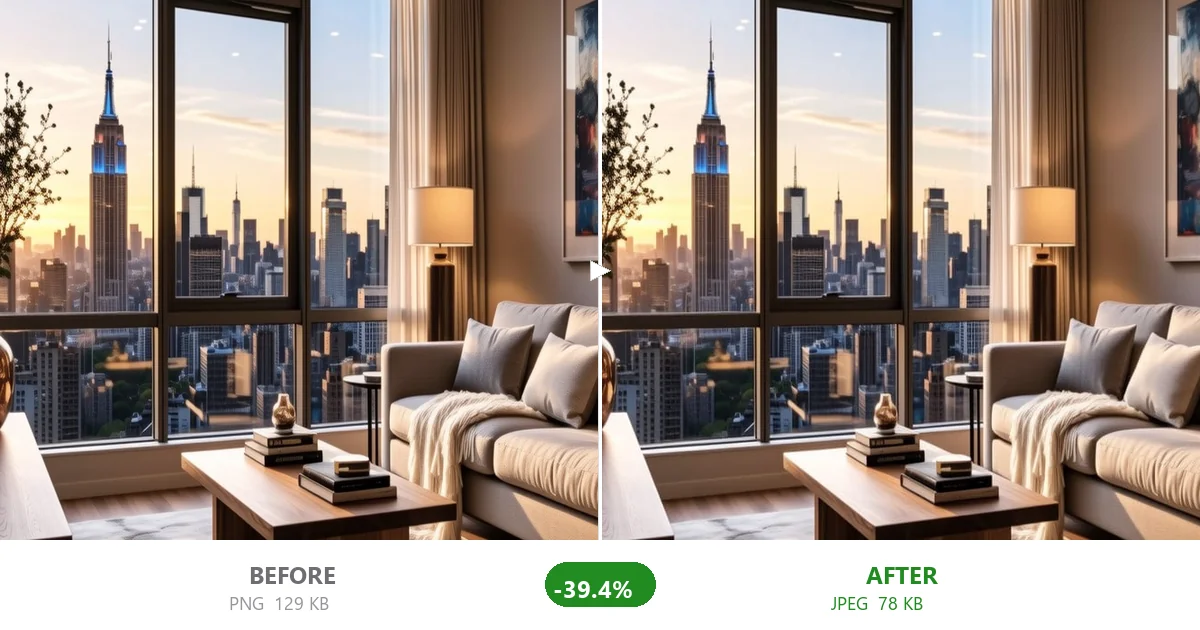
Real estate photo compression isn't just about saving bandwidth — it's about keeping buyers engaged long enough to book a viewing.
Professional real estate photographers shoot at the highest quality possible — and they should. You want raw material with maximum detail for editing, HDR blending, and virtual staging. The problem is that those 24MP RAW files often get exported as maximum-quality JPEGs and uploaded directly to listing platforms without any optimization step in between.
A single 6000x4000 photo exported at JPEG quality 100 from Lightroom can be 8-15MB. Multiply by 20 photos and you've got 200MB of images on a single listing page. That's absurd for web viewing, where most photos display at 800-1200px wide.
The MLS (Multiple Listing Service) systems don't help either. Many have generous size limits that encourage complacency. But just because the system accepts 10MB files doesn't mean your listing should serve them.
Different platforms have different rules. Here's what the major ones expect:
- Recommends images at least 1024x768 pixels
- Maximum file size: 100MB per image (yes, really — but don't use that)
- Supports JPEG and PNG
- Practical target: Compress to 200-400KB at 1200-1600px wide. Zillow's CDN will create smaller variants for thumbnails.
- Minimum 1024x768, recommends 2048x1536 for best display
- No explicit file size cap, but their system may downsample very large files
- Practical target: 300-500KB at 1600-2000px wide. Quality matters here — Realtor.com listings with sharp photos get more saves.
- Requires JPEG only
- Recommends 1200x900 minimum, landscape orientation
- Files typically limited to ~10MB each by most upload tools
- Practical target: 200-350KB at 1400px wide. The UK market is competitive and fast-loading listings get more viewings.
- Similar to Rightmove: JPEG, landscape, 1200px+ wide
- Practical target: 200-400KB, compressed from a professionally edited source. Buyers on these platforms expect high visual quality — don't over-compress.
Real estate agents typically handle 3-10 new listings per month, each with 20-40 photos. That's potentially 400 images per month to compress. Doing them one at a time is not viable. Here's the batch workflow:
From Lightroom, Capture One, or whatever you use: export edited photos at full resolution, JPEG quality 85-90. This is your archive copy. Keep it.
Drop all the photos for a listing into CompactJPG. Set quality to 75. Hit compress. The entire batch processes in parallel. What you get:
- File sizes drop from 8-15MB to 200-500KB (95-97% reduction)
- Visual quality at listing display sizes is indistinguishable from the original
- Download as ZIP, ready to upload to any platform
Before uploading, rename your files descriptively. "IMG_4827.jpg" doesn't help anyone. "3-bedroom-villa-pool-view-phuket-01.jpg" shows up in Google Image Search and helps buyers. Do this before compression — the file names carry through.
Most platforms display the first 3-5 photos as the preview in search results. Make sure your best shots — exterior, living room, kitchen — are the first files in the batch. Order matters for click-through rates.
I tested this workflow with a friend's listing — 32 photos of a 4-bedroom house, shot on a Sony A7III:
| Metric | Before | After Compression |
|---|---|---|
| Total listing image weight | 287MB | 11.2MB |
| Avg per photo | 8.97MB | 350KB |
| Page load time (4G mobile) | 18.3s | 1.9s |
| Visual quality | Excellent | Excellent |
The agent told me the compressed listing got more saved searches in the first week than the previous three uncompressed listings combined. Is that entirely because of faster loading? Probably not — there are a million variables in real estate. But when a buyer's first impression is a page that loads instantly vs one that crawls, the difference is real.
Real estate photos often contain location metadata (EXIF GPS data from the camera). Before uploading to any platform, strip the metadata. CompactJPG strips all EXIF data automatically during compression — no location, camera model, or timestamp data survives. This is good practice for any photo you're publishing online, but especially important for properties where you don't want to broadcast the exact GPS coordinates.
Real estate is a visual business, and photos are your most important marketing asset. But making them fast to load doesn't mean making them look worse. The difference between a 9MB original and a 350KB compressed JPEG is invisible at the display sizes used on listing platforms — and the faster loading directly impacts how many buyers actually see all your photos before they bounce.
Batch compress your listing photos before upload. It takes 30 seconds. Your buyers won't notice the compression. They'll just notice that your listing loaded before they lost patience.